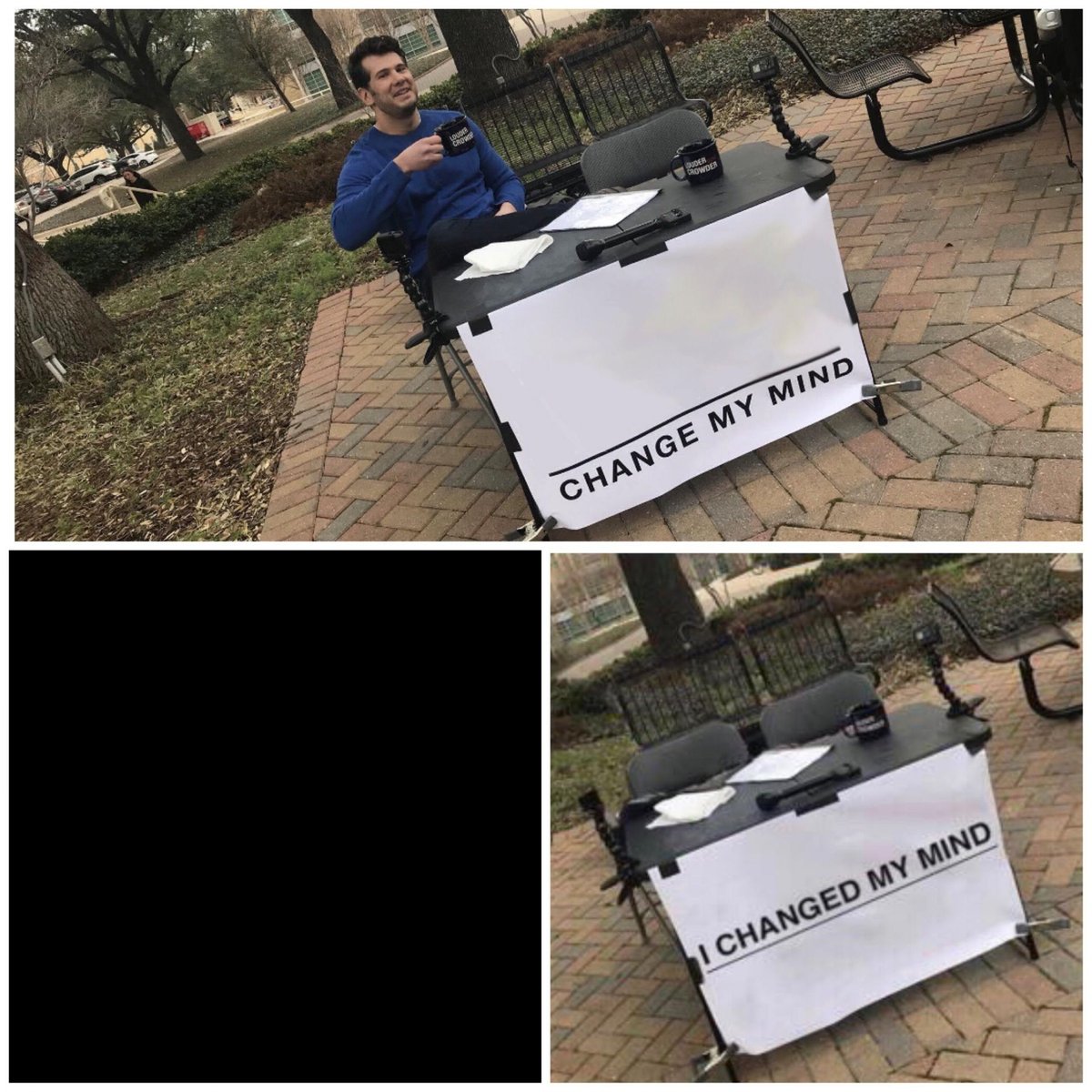
In a world awash with fleeting trends, few internet phenomena capture attention and ignite discussion quite like the "Change My Mind" meme. Whether you're aiming for a laugh, a genuine debate, or just a moment of internet notoriety, mastering how to create a "Change My Mind" meme is a valuable digital skill. This guide cuts through the noise to give you the most useful, trustworthy, and downright readable blueprint for crafting your own iconic statement sign.
We’re not just showing you buttons to click; we’re arming you with the insights of a seasoned digital strategist, ready to transform your ideas into shareable, attention-grabbing content. Get ready to plant your flag in the digital landscape and invite the world to challenge your assertion.
At a Glance: Your Meme-Making Journey
- Understanding the Meme: Learn the origin and purpose behind the iconic Steven Crowder sign.
- Choosing Your Toolkit: Discover why dedicated meme generators are your best friend.
- Step-by-Step Creation: Master the simple process of building your meme from template to share.
- Unlocking Customization: Dive into advanced features for truly unique designs.
- Free vs. Pro: Navigate the options for creating memes on any budget.
- Crafting Your Message: Get expert tips on writing statements that resonate and provoke.
- Avoiding Common Pitfalls: Learn how to sidestep design and content blunders.
The "Change My Mind" Phenomenon: More Than Just a Sign
Before we dive into the nuts and bolts of creation, let’s quickly ground ourselves in the meme’s DNA. The "Change My Mind" meme isn't just a funny image; it's a cultural shorthand for presenting a bold, often controversial or absurd, statement and openly challenging others to dismantle it. Its origin lies with conservative commentator Steven Crowder, who famously set up a table with a sign reading "Male Privilege is a Myth: Change My Mind" on a college campus.
This simple setup tapped into a universal human desire: to express an opinion, invite debate, and perhaps even revel in the ensuing chaos. It���s provocative, engaging, and inherently designed for viral sharing. From genuinely thought-provoking ideas to hilariously mundane takes ("Pineapple belongs on pizza: Change my mind"), the format is endlessly adaptable.
Why a Dedicated Meme Generator is Your Best Friend
You might be thinking, "Can't I just use Photoshop?" Sure, if you have the software, the skills, and an hour to spare. But for speed, simplicity, and access to the right templates, a dedicated meme generator is light years ahead. These tools are built specifically for creators like you, streamlining the process so you can go from an idea to a shareable meme in under a minute.
Think of it as having a specialized workshop tailored for meme production. It comes pre-loaded with the exact components you need, along with intuitive controls, so you don't have to re-invent the wheel (or the sign) every time.
Your Ultimate Blueprint: Crafting a "Change My Mind" Meme
Let's get practical. While specific button names might vary slightly between platforms, the fundamental steps for how to create a "Change My Mind" meme remain consistent. We'll walk you through the process using a top-tier tool like Mega Creator, known for its robust features and user-friendly interface.
Step 1: Pick Your Perfect Template (or Bring Your Own)
Every great meme starts with a solid foundation. The "Change My Mind" template is instantly recognizable, featuring Crowder's iconic setup.
- Find It Fast: Head over to your chosen meme generator (e.g., Mega Creator). Look for a prominent search bar or a "Templates" library.
- Search Smart: Type "Change My Mind" into the search field. You'll likely see several variations pop up.
- Select & Load: Click on the template that best suits your vision. It will load into the editing workspace, ready for your magic touch.
- Custom Backgrounds: Some generators even allow you to upload your own background image, replacing the original campus scene. This is a fantastic way to add an extra layer of humor or context to your statement. Imagine a "Change My Mind" sign on the moon!
Step 2: Inject Your Statement: Adding the Core Text
This is where your brilliant, controversial, or absurd idea comes to life. The sign is a blank canvas for your words.
- Locate the Text Box: Once the template loads, you'll see a placeholder text box on Crowder's sign. Click on it to activate the text editor.
- Type Away: Delete the default text and type in your bold assertion. Keep it concise, punchy, and clear. Remember, you’re aiming to provoke a reaction, not write an essay.
- Format for Impact: Now, fine-tune the aesthetics. A good meme isn't just about what you say, but how you present it.
- Font Choice: Experiment with different fonts. A classic, bold sans-serif often works well for readability, but a quirky font can add personality.
- Size Matters: Adjust the font size so your statement fills the sign without overflowing or looking too small. It needs to be readable at a glance.
- Color & Style: Stick to high-contrast colors (e.g., white text on a dark background, or vice-versa) for maximum legibility. Consider bolding or italicizing certain words for emphasis.
- Alignment: Center your text for a clean, balanced look, mimicking the original meme's style.
Step 3: Customize & Polish: Making it Uniquely Yours
While the core text is crucial, advanced generators offer a playground of customization to truly make your meme stand out. This is where you transform a generic template into a masterpiece.
- Drag-and-Drop Elements: Most generators feature a drag-and-drop interface. This allows you to easily reposition text, add new graphics, or tweak existing elements. Want your text a little higher or lower on the sign? Just click and drag.
- Layering Graphics & Photos:
- Stickers & Emojis: Access libraries of stickers, icons, and emojis to add extra humor or emphasis. A crying face next to a controversial food take? Perfect.
- Images & Illustrations: Some tools let you overlay photos or illustrations directly onto the meme, perhaps an image related to your statement. Imagine a tiny picture of a pineapple on the sign next to "Pineapple belongs on pizza."
- Speech Bubbles: Add speech bubbles if you want to include a secondary, perhaps sarcastic, thought.
- Background Elements: Beyond replacing the entire background, you might be able to subtly adjust existing elements in the template, like blurring parts of the background or adding a filter for a specific mood.
- Fine-Tuning: Take a moment to review your work. Is everything legible? Does it convey the exact message you intend? Does it look good?
Step 4: Export & Share: Releasing Your Creation to the Wild
You’ve crafted your masterpiece; now it’s time to share it with the world.
- Preview: Before exporting, use the preview function. This shows you exactly what your meme will look like, helping you catch any last-minute errors.
- Export Options: Meme generators typically offer various export formats.
- PNG: Ideal for high-quality images with transparency (if applicable).
- JPG: A good all-rounder for web sharing, often with smaller file sizes.
- SVG/PDF: For professional use cases or if you need vector scalability (less common for memes, but good to have).
- Resolution: Choose a high-resolution export to ensure your meme looks crisp and clear on all devices. Blurry memes are quickly scrolled past.
- Direct Sharing: Many platforms offer direct sharing options to popular social media sites. With a single click, you can send your meme straight to:
- Twitter: Perfect for sparking quick debates.
- Instagram: Visually driven, great for meme accounts.
- Facebook: Ideal for sharing within groups and communities.
- Reddit: A meme powerhouse, especially within relevant subreddits.
- Download: If you prefer to manually upload or save your meme for later, simply download it to your device.
By following these steps, you’ll swiftly learn how to generate change my mind memes that capture attention and engagement.
Beyond the Basics: Unlocking Advanced Meme Customization
While the core steps are straightforward, the real power of modern meme generators lies in their advanced features. These aren't just one-trick ponies; they're comprehensive design studios disguised as simple tools.
Libraries Galore: A World of Assets at Your Fingertips
One of the standout features of top-tier generators like Mega Creator is access to extensive libraries. We're talking:
- Meme Templates: Beyond "Change My Mind," you'll find hundreds, if not thousands, of other trending and classic meme formats.
- Graphics & Icons: Need a specific icon to illustrate a point? Chances are, it's in the library. From simple arrows to complex illustrations, these assets can elevate your meme's visual appeal.
- Illustrations & Stock Photos: Some platforms even integrate with stock photo libraries, allowing you to incorporate high-quality images directly into your designs without leaving the editor. This opens up possibilities for more nuanced or visually rich memes.
Precision Text Editing: Crafting the Perfect Wordmark
We touched on basic text formatting, but advanced generators go further, allowing you to fine-tune your statement to perfection:
- Multiple Fonts & Styles: Access a vast array of fonts, from playful to professional, and apply bold, italic, underline, or even strike-through styles.
- Kerning & Leading: For advanced users, you can adjust the spacing between letters (kerning) and lines (leading) to ensure optimal readability and visual harmony.
- Text Effects: Add shadows, outlines, or gradients to your text for a more dynamic look. Just be careful not to overdo it – clarity is key!
- Text Boxes & Overlays: Create multiple text boxes to layer different statements or add commentary, similar to adding a speech bubble.
Built for Social: Optimizing for Every Platform
A great meme needs to look great wherever it's shared. Premium generators understand this and offer features that simplify cross-platform sharing:
- Preset Dimensions: Automatically resize your meme to fit the optimal dimensions for Instagram Stories, Facebook posts, Twitter images, or even Reddit thumbnails. This saves you the hassle of manual cropping and ensures your meme always looks its best.
- Direct Integrations: We already mentioned direct sharing, but some tools offer deeper integrations, allowing you to schedule posts or manage your meme content across multiple social channels.
Meme Generator Showdown: Picking Your Champion
While many free meme generators exist, their capabilities and quality can vary wildly. Let's compare some popular options, focusing on what makes Mega Creator a standout for serious meme enthusiasts.
Mega Creator: The All-Rounder
Mega Creator is frequently highlighted as a top contender, and for good reason. Its strength lies in a powerful combination of extensive customization, high-quality templates, and professional design tools.
- Pros:
- Unmatched Customization: Offers the deepest level of control over text, graphics, and backgrounds. You're not just filling in blanks; you're truly designing.
- Vast Asset Libraries: Access to a huge collection of graphics, icons, illustrations, and stock photos, significantly expanding creative possibilities.
- High-Resolution Exports: Delivers crisp, clear images in various formats, ensuring your meme looks professional.
- User-Friendly Interface: Despite its advanced features, it remains intuitive, allowing beginners to create quality memes quickly.
- Free Version Available: You can start creating basic "Change My Mind" memes without cost or registration.
- Cons:
- Premium features require a subscription, which might be a barrier for those needing only occasional, basic memes.
Imgflip: The Classic & Quick Option
Imgflip is probably one of the most widely recognized free meme generators, known for its simplicity and speed.
- Pros:
- Extremely Easy: Very low barrier to entry; you can whip up a basic meme in seconds.
- Huge Template Library: Features almost every meme template imaginable, often updated quickly with new trends.
- No Registration Needed: Create and download without an account.
- Cons:
- Limited Customization: Less control over text styles, graphics, and background elements compared to Mega Creator.
- Watermarks: Free exports typically include an Imgflip watermark.
- Lower Resolution Exports: Quality can be less crisp, especially for more complex designs.
Kapwing: The Versatile Media Editor
Kapwing positions itself as a broader online video and image editor, with robust meme-making capabilities.
- Pros:
- Multi-Media Focus: Excellent for combining images, GIFs, and videos into memes.
- Good Customization: Offers more customization than Imgflip, with better text controls and some graphic options.
- Collaboration Features: Useful for teams working on meme projects.
- Cons:
- Slightly Steeper Learning Curve: More features mean a bit more to navigate for absolute beginners just wanting a quick meme.
- Watermarks/Limits in Free Version: Free usage often comes with watermarks or limits on export quality/duration for video content.
- Template Library: While solid, it might not be as meme-specific or as extensive as Imgflip's for pure static memes.
For most users looking to consistently create high-quality, customizable "Change My Mind" memes, Mega Creator strikes the best balance of power and ease.
The Price of Power: Free vs. Premium Features
Like many online tools, meme generators often operate on a freemium model. Understanding what you get for free versus what a subscription unlocks is crucial for making the right choice.
Free Tiers: Perfect for Getting Started
Mega Creator, for instance, offers a generous free version that’s more than capable for basic "Change My Mind" memes.
- What you typically get for free:
- Custom Text: The ability to add your statement to the sign.
- Basic Templates: Access to core "Change My Mind" templates.
- Standard Exports: Download your meme, often without registration.
This is fantastic for quick, casual creations where advanced features aren't a priority. You can still create a perfectly functional and shareable meme.
Premium Features: When Quality and Creativity Matter
For those who want to take their meme game to the next level, a premium subscription is an investment in quality, control, and efficiency.
- What a subscription typically unlocks:
- Advanced Customization: Full access to all fonts, text effects, color palettes, and graphic libraries.
- High-Resolution Exports: Guaranteed crisp, professional-looking images every time, without quality degradation.
- Watermark Removal: Your meme will be clean and free of any generator branding.
- Exclusive Templates & Assets: Access to a wider, often premium, selection of design elements.
- Priority Support: Quicker help if you encounter issues.
- Cloud Storage: Save your projects and access them from anywhere.
If you plan to create memes regularly, for a brand, or simply value having the best tools at your disposal, a premium subscription offers a clear advantage in terms of output quality and creative freedom.
Crafting Your Message: Tips for a Killer "Change My Mind" Meme
The technical execution is one thing, but the content of your meme is what truly makes it viral. Here's how to craft a statement that makes people stop scrolling and engage.
1. The Power of Controversy (or Absurdity)
The meme thrives on strong opinions. Your statement should be:
- Divisive (but not offensive): Aim for topics that genuinely split opinion. "Cereal is soup: Change my mind." "The best part of a sandwich is the bread: Change my mind." These spark debate without alienating.
- Unexpected: A mundane topic presented with extreme conviction can be hilarious. "Socks with sandals are a power move: Change my mind."
- Relatable: Tap into shared experiences or frustrations. "Having to do laundry is the worst chore: Change my mind."
Pitfall to Avoid: Don't confuse "controversial" with "offensive" or "hateful." The goal is playful debate, not genuine harassment or spreading harmful ideologies.
2. Clarity and Conciseness are King
Your audience is scrolling fast. Your statement needs to be:
- Short and punchy: Get to the point. The fewer words, the better.
- Easy to read: Use clear, legible fonts and good contrast. Avoid overly complex sentence structures.
- Single Idea: Focus on one core assertion per meme. Don't try to cram in multiple arguments.
3. Consider Your Audience
Who are you trying to reach?
- Inside Jokes: If it's for a niche community, lean into specific references.
- Broad Appeal: For wider sharing, choose universally understood topics.
- Tone: Match the tone of your statement to your intended audience – sarcastic, serious, goofy, etc.
4. The Call to Action is Built-In
The beauty of "Change My Mind" is that the call to action is implicit. However, you can enhance it:
- Engaging Question in Caption: On social media, pair your meme with a question that explicitly invites discussion: "Alright, internet, do your worst! What's your counter-argument?"
- Embrace the Responses: Be prepared to interact with comments, whether agreeing, disagreeing, or just enjoying the ride.
Common Pitfalls to Avoid in Your Meme Creation
Even with the best tools, it’s easy to stumble. Here are typical mistakes to sidestep for optimal meme success:
1. Illegible Text
This is the cardinal sin of "Change My Mind" memes. If people can't read your statement quickly, they'll scroll past.
- Solution: Prioritize high contrast between text and background. Use a simple, bold font. Ensure font size is appropriate for the sign's space. Test readability on different screen sizes (mobile vs. desktop).
2. Overly Complex or Wordy Statements
The meme format is designed for brevity. Long, rambling sentences lose impact.
- Solution: Condense your idea to its core. Aim for a single, clear assertion. If it takes more than 10-15 words, try to simplify.
3. Misunderstanding the Meme's Intent
The meme is about inviting debate or humor, not just stating a fact. A statement like "The sky is blue: Change my mind" misses the point.
- Solution: Your statement should be something genuinely debatable, unexpectedly funny, or a strong opinion presented playfully.
4. Low-Quality Exports or Watermarks
A pixelated or watermarked meme looks unprofessional and can detract from your message.
- Solution: Always export in the highest available resolution. If using a free generator that adds watermarks, consider upgrading to a premium version for cleaner outputs, especially if sharing widely or for a brand.
5. Ignoring Context or Audience
A brilliant meme for one group might fall flat (or even offend) another.
- Solution: Always consider who you're speaking to. Is the humor universal? Is the controversy appropriate? Tailor your message to your target audience.
Ready to Share: Maximizing Your Meme's Reach
Once your "Change My Mind" meme is perfected and exported, it’s time to unleash it. Here are a few final tips for making sure it gets seen:
- Choose the Right Platform: Different social media platforms have different cultures. Reddit is fantastic for engaging in deep (or absurd) debates, while Twitter is great for quick, punchy interactions. Instagram is all about visual appeal, and Facebook thrives on sharing within established groups.
- Craft a Compelling Caption: Don't just post the meme blank. Add a caption that reiterates your challenge, asks a follow-up question, or provides a little extra context. "Come at me, internet!" or "I stand by this. Your move."
- Use Relevant Hashtags: Hashtags increase discoverability. Use popular meme tags (#memes #changemymind) and specific tags related to your statement's topic (#pineappleonpizza #breakfastfoods).
- Engage with Comments: The whole point of a "Change My Mind" meme is to spark discussion. Be prepared to read, respond to, and engage with the comments, whether they agree or disagree. This fuels further interaction and extends the meme's lifespan.
By following this comprehensive guide, you’re now equipped with the knowledge and tools to create compelling, engaging, and highly shareable "Change My Mind" memes. Go forth, make your statement, and watch the debates unfold!